In one line
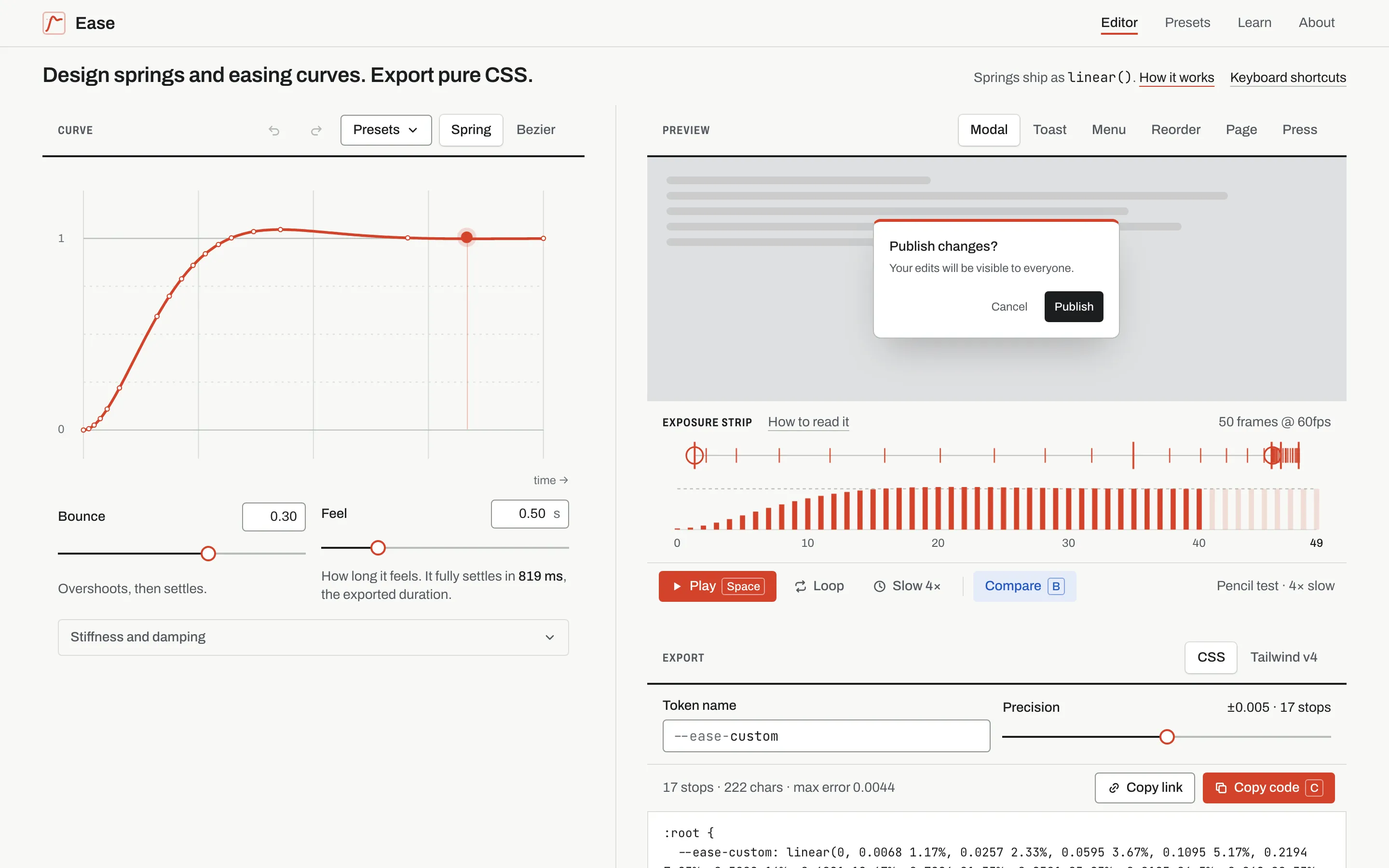
A motion curve studio. Shape a bezier or a spring, watch it move real interface, and export CSS that runs exactly as you saw it.
The brief (to myself)
Easing is usually picked by habit: ease-out, or whatever the last project used. Springs feel better, but for years they needed a JavaScript animation library. CSS linear() (Baseline since December 2023) can now express a spring as a list of stops, but nobody writes twenty stops by hand, and the generators that exist are bare utilities that preview a dot sliding across a box.
I wanted a tool where you design the curve, see it on the kind of interface you’re building, and copy CSS you can trust.
What it does
- Two kinds of curve. A cubic bezier with draggable handles, or a spring set by bounce and feel, the way SwiftUI describes springs. Stiffness and damping are there too for people who think in physics.
- Six preview scenes: a modal, a toast, a menu, a reorder, a page change and a button press. Each one plays the curve you’re editing, and each one works: close and reopen the modal, dismiss the toast, drag the rows. Every interaction moves on the curve.
- An exposure strip. Under the preview, every curve is drawn as an animator’s spacing chart: one tick per frame at 60fps, bunching where the motion slows, lighting up frame by frame as it plays.
- A and B. Compare two curves on one real time axis, swap them, and undo a comparison like any other change.
- 14 presets, each with its own page, previewed in the stage when you hover or focus them.
- Export as a CSS custom property or a Tailwind v4 token, with the measured error, the stop count and a fallback for browsers without
linear(). - Everything is in the URL, so a link is a saved curve.
Key decisions and trade-offs
- TanStack Start. The editor’s state belongs in typed URL search params: shareable links, back and forward, validation. TanStack Router does that better than anything else I’ve used. It runs on Cloudflare Workers.
- The URL is the state. Every field is validated with a fallback, so a hand-edited or broken link opens the defaults instead of an error. Defaults are left out of the URL to keep links short, and a comparison curve is encoded compactly (
vs=s:0.3,0.5). - Drafts while dragging. Dragging renders from local state at 60fps and writes to the URL on a short timer, with a counter so an old write never overwrites a newer drag.
- No animation library. Its own bezier solver (Newton’s method with bisection as a fallback), an exact spring solution for all three damping regimes, and line simplification. The maths is tested against brute-force search and a numerical simulation.
- Simplify by what you see. The simplification measures the error in value at each moment, not the distance from the line, because value is what you see on screen. The reported max error is measured, not estimated.
- Duration is the settle time. A spring never quite arrives, so the exported duration is when it stays within 0.1% of its target.
- Honest previews. Every preview, and the playhead on the plot, runs the exact exported timing string through the Web Animations API. What you see is what you ship.
- One time axis for A and B. A 400 ms bezier and an 819 ms spring looked the same on normalised axes, so both are plotted against real time.
- The site uses its own curves. Its transitions use
linear()springs generated by Ease.
Design
- The first version was a dark developer tool. A design review found that the workbench didn’t fit one screen, editing on a phone hid the preview, and A and B weren’t named.
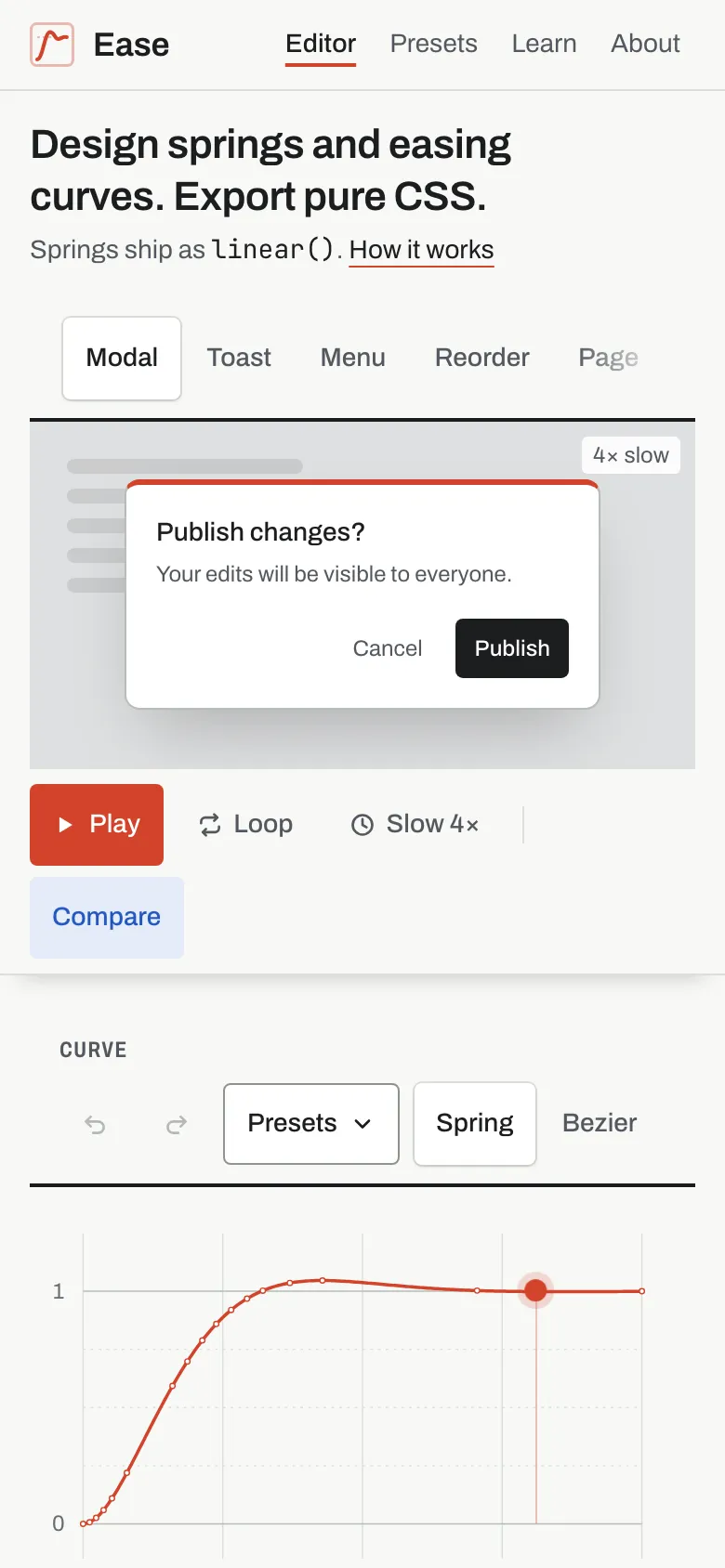
- The redesign is light and calm, built around an animator’s exposure sheet: ruled columns on a paper ground, keyframe red for curve A and the main action, blue pencil for curve B. The workbench fits a 1440 × 900 screen, and on phones the preview stays pinned above the controls.
- The exposure strip became the centre. It reads each curve two ways: a spacing row placed by position, and a timing row in time order, so a spring’s long settle is easy to see. The first play is slow so the frames can be followed, then it plays at real speed.
- The previews became interactive. Watching a toast slide in tells you less than dismissing it yourself, so each scene is a small working interface. The stage grew back to its full height for it; in compare mode the page scrolls instead of shrinking both stages.
- A UI and accessibility audit after launch found 13 problems and fixed them all. For example, the presets list covered the preview it was playing in, single-key shortcuts couldn’t be turned off, and Loop and Slow 4× looked almost the same on and off. Toggles now fill when they’re on, and a switch in the shortcuts list turns off single-key shortcuts.
Accessibility
- Real radio groups with arrow keys, and 44 px touch targets on touch screens.
- The bezier handles move with the arrow keys.
- Loads, comparisons, swaps, undo and scene changes are announced to screen readers.
- A plain-language description of each curve’s shape: its halfway point, overshoot and settle.
- The preview scenes use real buttons with plain names, work from the keyboard (arrow keys move a row), and announce a reorder. Placeholder text is hidden.
- With reduced motion, nothing plays until you press Play, and the scenes respond without animating.
- axe: 0 WCAG 2.1 AA violations on all routes, including compare mode.
Bugs worth telling
- Hidden handles.
role="img"on the plot hid the draggable handles from screen readers, because an image’s children don’t count. It’s now a labelled group. - A page wider than the phone. The finished playhead stayed shifted off the plot, invisible but still widening the page. Animations are now cancelled after they fade out.
- My numbers were wrong, not the code. The reference values I remembered for CSS
easewere off. The tests now check against a brute-force search instead. - A tooltip that broke hydration. Text that depended on the platform rendered differently on the server and in the browser. It’s static now.
Cut from v1 (deliberately)
- Export for JavaScript animation libraries.
- Keyframe timelines.
- Accounts and saved curves beyond the URL.
- A Figma plugin.
- Keeping velocity when an animation is interrupted. Pure CSS can’t do it, and the article says so.
What could come next
- An image for each preset when it’s shared.
- A bezier fitted to a spring, for places without
linear(). - A preview you can drag and throw, comparing CSS springs with JavaScript ones.